On the laptop
Tools that ride with the machine.
Text to Morse is in the current image. Offline maps and description search for your own photos are not yet. Each one has a place here for photos and a longer note.
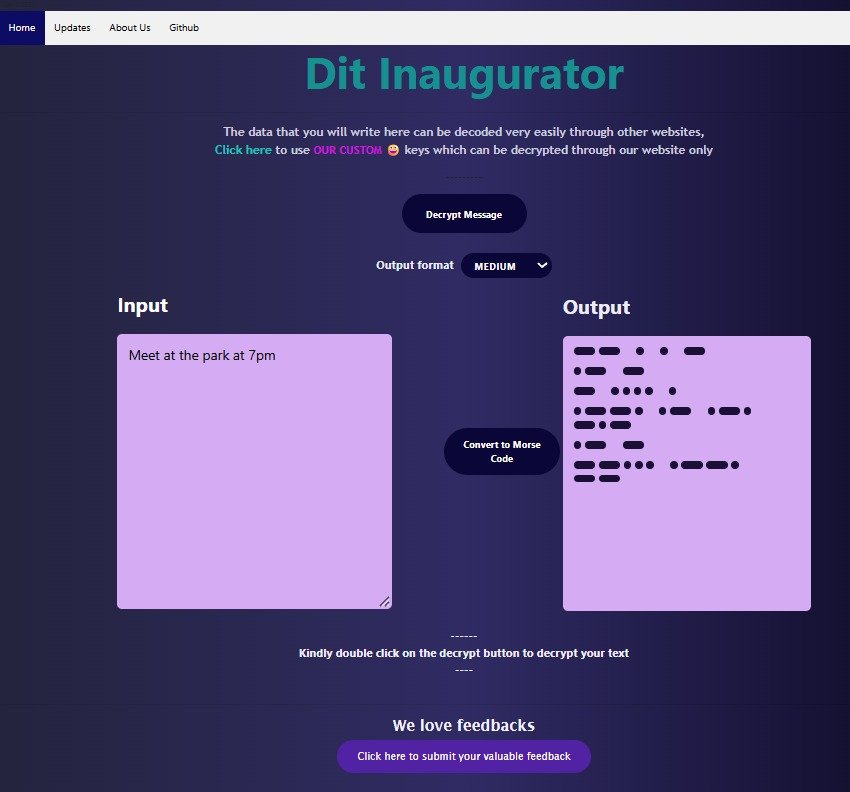
Included
Text to Morse.
Type a short message and turn it into Morse you can read or play beside the multi-band radio. Useful when a voice channel is crowded, weak, or the only thing still moving. The radio page is the hardware. This tool is already on the laptop.

Coming next
Offline maps.
Maps downloaded onto the 1 TB drive before you need them. Pan, search, and plan a route with no cell tower and no live map service. The first version should name the region that ships on the drive, and how a buyer adds another region while they still have a connection.
Add coverage, zoom level, and file size here when you choose the map pack. Suggested extra photo: site/assets/maps-region.jpg.

Coming next
Personal pictures, found by description.
A private library on the laptop. Store your photos and videos, then find them by describing what is in them — the same gesture as a cloud photo search, with the index sitting on the SSD. Nothing about this feature needs an account.
When it is real, note which formats it accepts, whether descriptions are generated on device, and that the library is the buyer’s own media. Suggested extra photo: site/assets/photos-result.jpg.